멀티 GPU 학습이 돌아가는 모습을 보고 싶어서, 2개 이상의 GPU를 할당 받으려고 했다.
A100이 좋긴 할텐데, 일단 어떤 에러가 발생해서 쌩돈(?)이 나갈 지 모르니 상대적으로 저렴한 A6000을 선택했다.
Runpod에서 제공하는 GPU 목록(아래에 더 많이 있음)
상단에 server 종류가 Secure Cloud면 10%정도 더 비싸다! 모델이나 데이터가 보안에 민감한 게 아니라면, Community Cloud를 체크하자. 자세한 차이는 여기로.
Pods are available in two different types: Secure Cloud and Community Cloud. The Secure Cloud runs in T3/T4 data centers providing high reliability and security, while the Community Cloud connects individual compute providers to consumers through a vetted, secure peer-to-peer system.
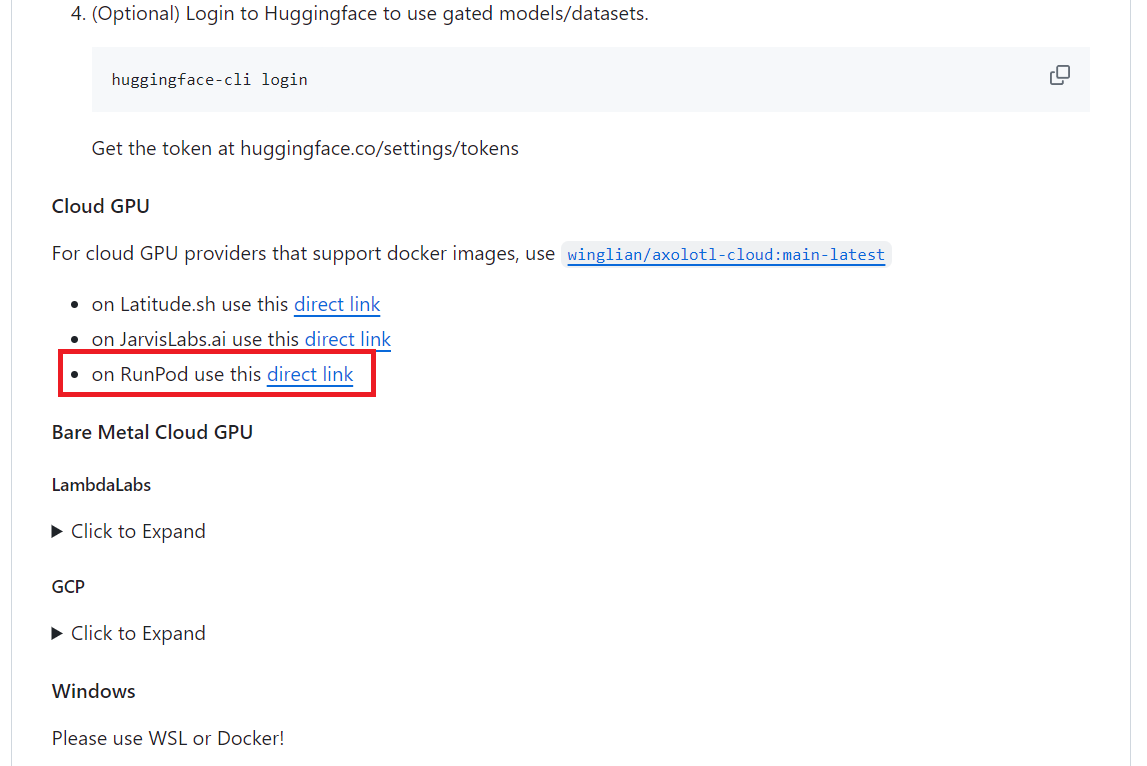
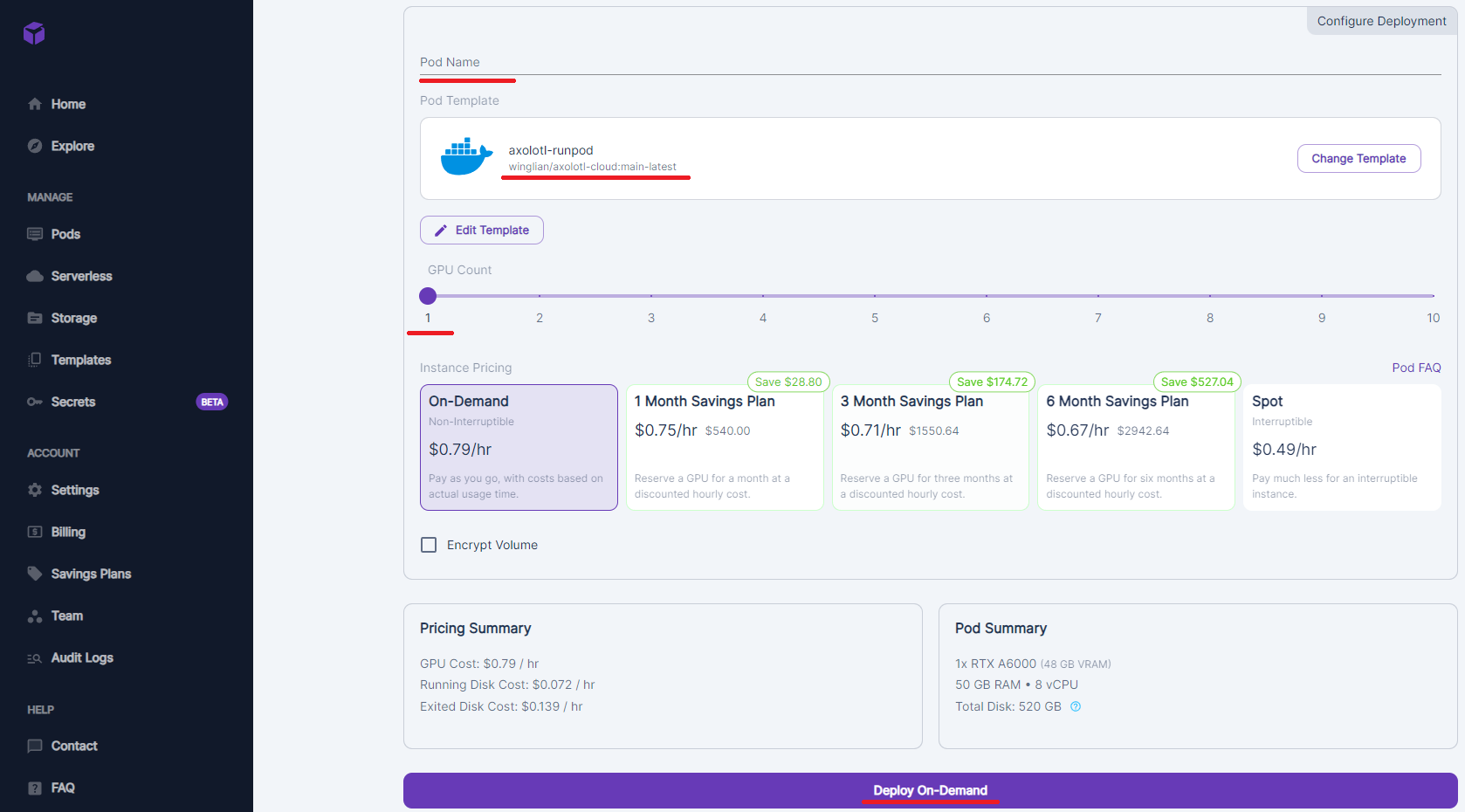
Pod Name 설정하고, axolotl-runpod 템플릿이 맞는지 확인하고, Deploy On-Demand로 시작한다.
스샷에는 GPU Count가 1로 되어있는데, 실제로는 2개로 진행하였다
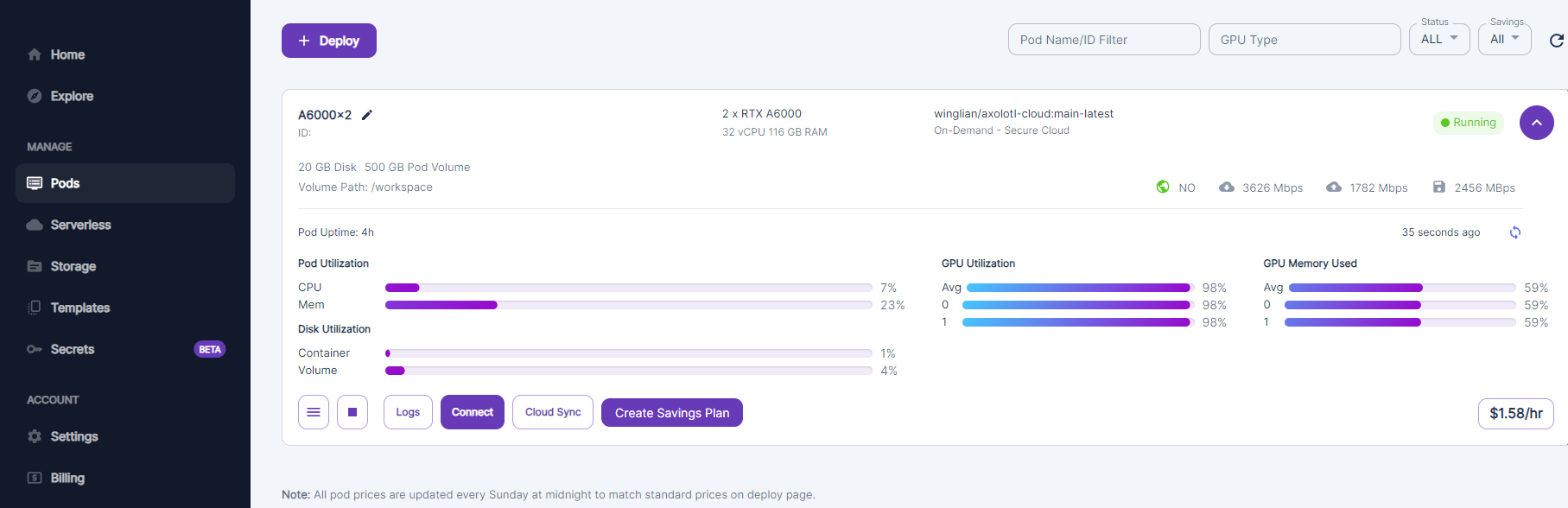
Pods 탭을 누르면 초기화 작업이 진행 중인 pod이 뜬다. 아래와 같은 모습으로 바뀌면 초기화 완료.